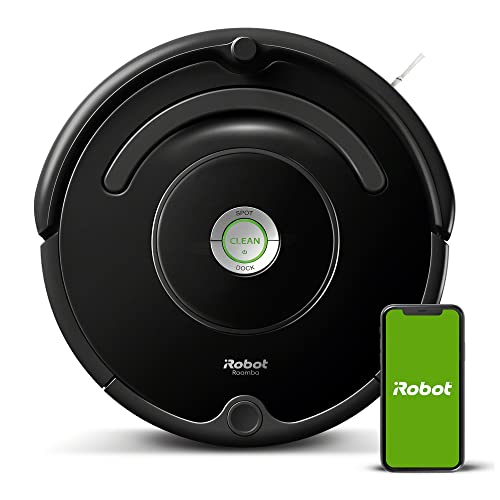
Stepping on a rogue piece of cereal barefoot on a Tuesday morning means your expensive new cleaning bot missed a spot. You paid hundreds of dollars for an automated helper, but right now it is stuck on a phone charger under the living room couch.
Robot vacuums are completely dependent on the environment you create for them. A scattered pile of shoes or an open bathroom door turns a simple vacuuming run into a rescue mission. You have to prep your house before the machine ever leaves its dock to get a truly clean floor.
Small adjustments to your floor plan and maintenance routine keep your vacuum running for its full 90-minute battery cycle. You will spend less time untangling brush rolls and more time enjoying grit-free hardwood floors.
Clear the Floor of Cables and Small Hazards
Stray charging cables act like traps for automated cleaners. A typical robot vacuum brush roll spins at roughly 1,500 RPM. When it hits a thin phone cord, the vacuum sucks it up, jams the motor, and beeps until you intervene. You need to gather loose wires and bind them tightly with velcro ties at least six inches off the ground.
Small items like socks, shoelaces, and dog toys cause the exact same issue. Take three minutes before a scheduled run to walk through your house. Pick up anything smaller than a clenched fist. Your robot relies on clear pathways to map the room and clean the floorboards effectively without stopping every ten feet.

Establish Keep-Out Zones and Physical Barriers
Your vacuum app features digital boundaries for a very specific reason. Pet water bowls spill easily when bumped by a passing robot. Thick shaggy rugs stall the side spinning brushes. Open your smartphone app and draw red boundary squares over these trouble spots. The vacuum will map a path around them and continue cleaning the rest of the room.
Older models without smart mapping require magnetic boundary strips. Cut a 24-inch piece of the provided magnetic tape and place it right across the threshold of a cluttered office or a kid’s playroom. The robot detects the magnetic field and turns around immediately. Keep doors completely shut for rooms you want ignored entirely.

Empty the Dustbin After Every Single Run
Robot vacuums have tiny dustbins holding between 300 and 600 milliliters of dirt. Pet hair, dry dirt, and dust bunnies fill that small plastic container in less than twenty minutes of sweeping. A full bin drops the suction power drastically. The vacuum will simply push dirt around your floor instead of pulling it into the filter.
Empty the bin manually right after the vacuum docks. Tap the pleated HEPA filter against the side of your trash can to knock out trapped fine dust. If you own a self-emptying base, check the base bag once every three weeks. Replace the base bag when it reaches the fill line so the primary motor does not overheat.

Clean the Sensors and Charging Contacts
Dust buildup on the optical sensors ruins the navigation system completely. The robot will ram into your baseboards or fall down the stairs. Take a dry microfiber cloth and wipe the small glass windows on the front bumper and the bottom of the unit once a week. Avoid using water or glass cleaner on these delicate electronic parts.
The metal charging contacts on the bottom of the vacuum and the dock get coated in floor grime over time. When this happens, the vacuum cannot charge. Wipe down those small metal squares with a dry cloth. If the grime is sticky, apply a drop of rubbing alcohol to a cotton swab and scrub the contacts gently.

Untangle the Main Brush Roll Weekly
Human hair and long pet fur wrap tightly around the main rubber and bristle brush. This puts heavy strain on the vacuum motor and drains the battery much faster than normal. Flip the vacuum over, unclip the plastic brush guard, and pull the entire brush roll out of the machine.
Take a pair of scissors and carefully snip the hair right down the horizontal groove of the brush roll. Pull the loose hair away and throw it out. Check the side spinning brushes for trapped hair too. A clean brush roll picks up heavy debris like kitty litter and dry rice on the very first pass.

Set a Predictable Cleaning Schedule
Running the vacuum manually usually means you wait until the floor is visibly filthy. Schedule the robot to run at the exact same time three days a week. Pick a time when the house is empty and you have already picked up the morning clutter. Ten in the morning is a great default start time.
Consistent scheduling prevents heavy dirt buildup on your rugs. The vacuum maintains a baseline level of clean instead of doing heavy lifting. Check the app history log once a week to verify the robot finished the job. If the log shows frequent errors at a specific time, you know exactly where to look for an obstacle.
Pick the Right Spot for the Docking Station
The dock needs clearance so the vacuum can line up properly after a job. Place the charging base flat against a wall with at least three feet of empty space on both the left and right sides. Give it four feet of clear space directly in front. A cramped corner confuses the infrared return signal.
Keep the dock out of direct sunlight. Bright UV rays interfere with the laser navigation and optical sensors on the bumper. Choose an interior wall with a nearby wall outlet. Do not tuck the base under a low couch or inside a closed pantry. The robot needs a clear line of sight to find its way home.
Quick Tips
- Replace the HEPA filter every two months to maintain maximum suction power across all floor types.
- Move your kitchen chairs away from the table before a run so the vacuum can navigate the crumbs underneath.
- Turn on the lights in rooms with dark carpets so optical-based navigation cameras can see the floor plan clearly.
- Rinse the washable plastic dustbin in the sink every month, but let it air dry completely for 24 hours before putting it back.
- Use a compressed air duster to blast grit out of the motorized wheels if the vacuum starts squeaking on hard floors.
Frequently Asked Questions
Your robot vacuum handles the tedious daily sweeping if you give it a clear path to work with. Keeping charging cords off the ground, emptying the tiny dustbin, and maintaining the brush roll takes just five minutes of your time. This small effort pays off with consistently clean floors.
Grab your phone and open your vacuum app right now. Review the cleaning history for recurring error locations. Walk over to those spots, clear the obstacles, and draw fresh keep-out zones so your next scheduled run finishes completely without interruption.