The tare function on a digital kitchen scale doesn’t just hide the weight of your bowl—it resets the tension on the internal load cell to zero. When you place a 900-gram glass mixing bowl on a scale with a 5,000-gram maximum capacity and hit tare, you only have 4,100 grams of working capacity left. Understanding this mechanical limit, along with techniques like negative taring, separates precise bakers from those who still end up with dense bread.
What is the Tare Function?
Taring a scale recalibrates the digital display to zero regardless of what sits on the platform. When you place an empty container on the scale and press the button, the internal processor subtracts that exact baseline weight from all future calculations. You then add ingredients directly into the bowl, and the screen displays only the net weight of the food. Most digital models, like the Etekcity Digital Kitchen Scale, use a single button for this, though you must account for the scale’s total weight limit. A heavy ceramic bowl can easily eat up half your scale’s maximum capacity before you even add flour.
Why Tare is Essential for Accurate Measurements
Volumetric measuring leaves massive room for error. A cup of scooped flour can weigh anywhere from 120 to 150 grams depending on how tightly it packs, which easily ruins a hydration ratio in bread dough. The tare function allows you to measure by mass, building an entire recipe in one bowl. You zero out the scale after adding 400 grams of flour, then add exactly 7 grams of instant yeast without doing any mental math. A reliable model like the Ozeri Pro Digital Scale processes these resets instantly, keeping your workflow moving.
Step-by-Step Guide to Using the Tare Function
Turn your digital scale on and wait for the load cell to stabilize. Place your mixing bowl squarely in the center. Press tare and wait for the display to drop to zero. Pour your first ingredient. You can also use negative taring for messy ingredients: place a full jar of peanut butter on the scale, hit tare, then scoop it out. The screen shows a negative number—like -30g—which is exactly how much you removed. The Greater Goods Food Scale responds quickly to these resets.
Common Mistakes and How to Avoid Them
Pressing tare twice by accident zeroes out the ingredient you just added. Always wait two seconds after pressing the button to account for sensor lag. Watch out for the auto-shutoff feature. If you take too long prepping, the scale powers down. When turned back on, it registers the half-full bowl as the new zero, ruining your math. Cheap scales also suffer from sensor drift, fluctuating above or below zero. Verify the display reads a stable zero before pouring in expensive ingredients.
🎯 Key Takeaways
The tare function resets your scale’s display to zero, allowing you to weigh raw ingredients without including the container’s mass. You can reset the scale multiple times to build an entire recipe in a single pot. Remember that taring does not reset the scale’s physical weight limit—a heavy bowl still counts against the maximum capacity. Always pause for two seconds after pressing the button to let the load cell stabilize.
Recommended Products
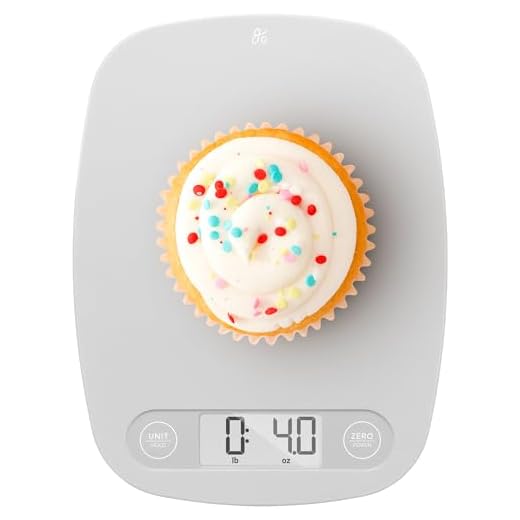
These digital scales feature highly responsive load cells and dedicated tare buttons that resist sticking under heavy kitchen use.
Greater Goods Digital Kitchen Scale

Final Thoughts
Test your scale’s sensor lag today. Place a bowl on the platform, hit tare, and immediately pour in 50 grams of water. If the screen hesitates or jumps erratically, upgrade to a model with a faster processor.