A robot vacuum relying on dust-coated infrared drop sensors and smudged LiDAR turrets will inevitably ram into baseboards and spin in confused circles. Navigation hardware requires a clear line of sight to map room boundaries and detect stairs. You can restore your vacuum’s pathfinding accuracy in under three minutes using just rubbing alcohol and a microfiber cloth. Wiping down the optical lenses clears the navigation system’s blind spots, stopping erratic driving patterns immediately. Most manufacturers recommend clearing these sensors monthly, but homes with heavy-shedding pets require weekly attention to prevent hair buildup over the optical windows.
Why Clean Robot Vacuum Sensors?
Sensor maintenance dictates how accurately your machine maps a floor plan and navigates around obstacles. These tiny optical windows—typically infrared drop sensors underneath the chassis and wall-following sensors along the bumper—tell your robot where physical barriers are and how to dock at its charging base. A thin layer of household dust blinds this system completely. When this happens, you will see your vacuum aggressively ramming into chair legs, ignoring virtual no-go zones, or getting trapped in wide-open spaces. Wiping the lenses restores normal pathfinding instantly. I noticed a massive difference in my iRobot Roomba 675 after establishing a regular cleaning schedule; it stopped missing the tight corners of my living room and docked successfully on the first attempt.
Tools You’ll Need for the Job
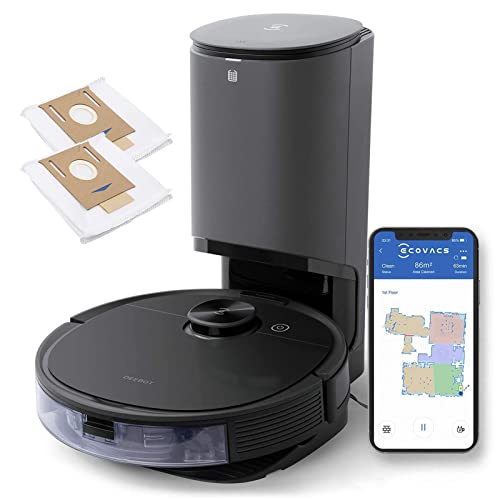
You likely already own everything required for this routine maintenance task. Grab a dry, clean microfiber cloth, a handful of cotton swabs, and standard isopropyl rubbing alcohol. Avoid using paper towels, as the coarse wood fibers will create micro-scratches on the delicate plastic sensor covers over time. Stick to soft, non-abrasive materials. Owners of specific models like the Ecovacs Deebot N79 often buy dedicated maintenance kits, such as the Smilyan accessory set. These kits conveniently bundle replacement edge brushes and HEPA filters alongside specialized cleaning tools. However, you can easily get by with basic household supplies if you prefer a DIY approach.
Step-by-Step Cleaning Guide
Turn off your vacuum completely and flip it upside down on a flat, stable surface. Locate the small glass or plastic windows—you will typically find four to six drop sensors underneath the front edge of the chassis, plus a wall sensor on the right side of the bumper. If your model has a top-mounted LiDAR turret, check the spinning laser housing for trapped debris. Lightly dampen your microfiber cloth with rubbing alcohol; never spray liquid directly onto the machine. Wipe each sensor gently to remove stuck-on grime and pet dander. Use a dry cotton swab to reach the tight, recessed corners around the drop sensors. I learned to use very light pressure when cleaning my Neato Botvac D Series to avoid scuffing the sensitive lenses. Let the alcohol evaporate completely before powering the unit back on.
When to Replace Parts
Cleaning cannot fix a physically damaged, deeply scratched, or burned-out sensor module. You will eventually need to buy replacement parts if your machine is several years old and continues to navigate poorly. Scratched lenses scatter the infrared light, permanently ruining the robot’s spatial awareness and drop detection. You can find exact replacement modules for models like the Neato Botvac D Series from third-party brands like Coodss. Watch how your vacuum behaves immediately after a thorough wipe down. If the erratic driving, circular spinning, or docking failures continue despite the lenses being perfectly clear, you should order new sensors to restore functionality.
🎯 Key Takeaways
Regular sensor maintenance directly dictates your vacuum’s cleaning efficiency and navigation accuracy. You can prevent erratic driving and missed spots using just a soft microfiber cloth and cotton swabs. Always power down the machine before applying any cleaning solutions, and never spray liquids directly onto the chassis. If a thorough wipe down fails to fix the navigation issues, consider buying replacement modules. Third-party accessory kits from brands like Smilyan offer an affordable way to keep your specific model running smoothly. Consistent care keeps your floors clean and protects your baseboards from unnecessary collisions.
Frequently Asked Questions
How often should I clean my robot vacuum sensors?
Wipe down the sensors once a month under normal conditions. If you have heavy-shedding pets or run the vacuum daily in dusty environments, clean the optical windows every two weeks to prevent navigation failures.
Can I use glass cleaner on robot vacuum sensors?
Avoid standard glass cleaners, as they often contain ammonia which can degrade the plastic sensor covers over time. Stick to a lightly dampened microfiber cloth with water or a small amount of isopropyl alcohol.
Why is my robot vacuum still spinning in circles after cleaning?
If the sensors are clean and the vacuum still spins, check the bumper for trapped debris. A jammed bumper switch tricks the robot into thinking it is constantly hitting an obstacle. Tap the bumper firmly to dislodge any stuck particles.
Recommended Products
Based on my experience with this topic, here are products that can help:
Final Thoughts
Flip your vacuum over and wipe the drop sensors with a dry microfiber cloth right now. Run a quick test cycle in a cluttered room to verify the pathfinding works correctly before its next scheduled cleaning.